


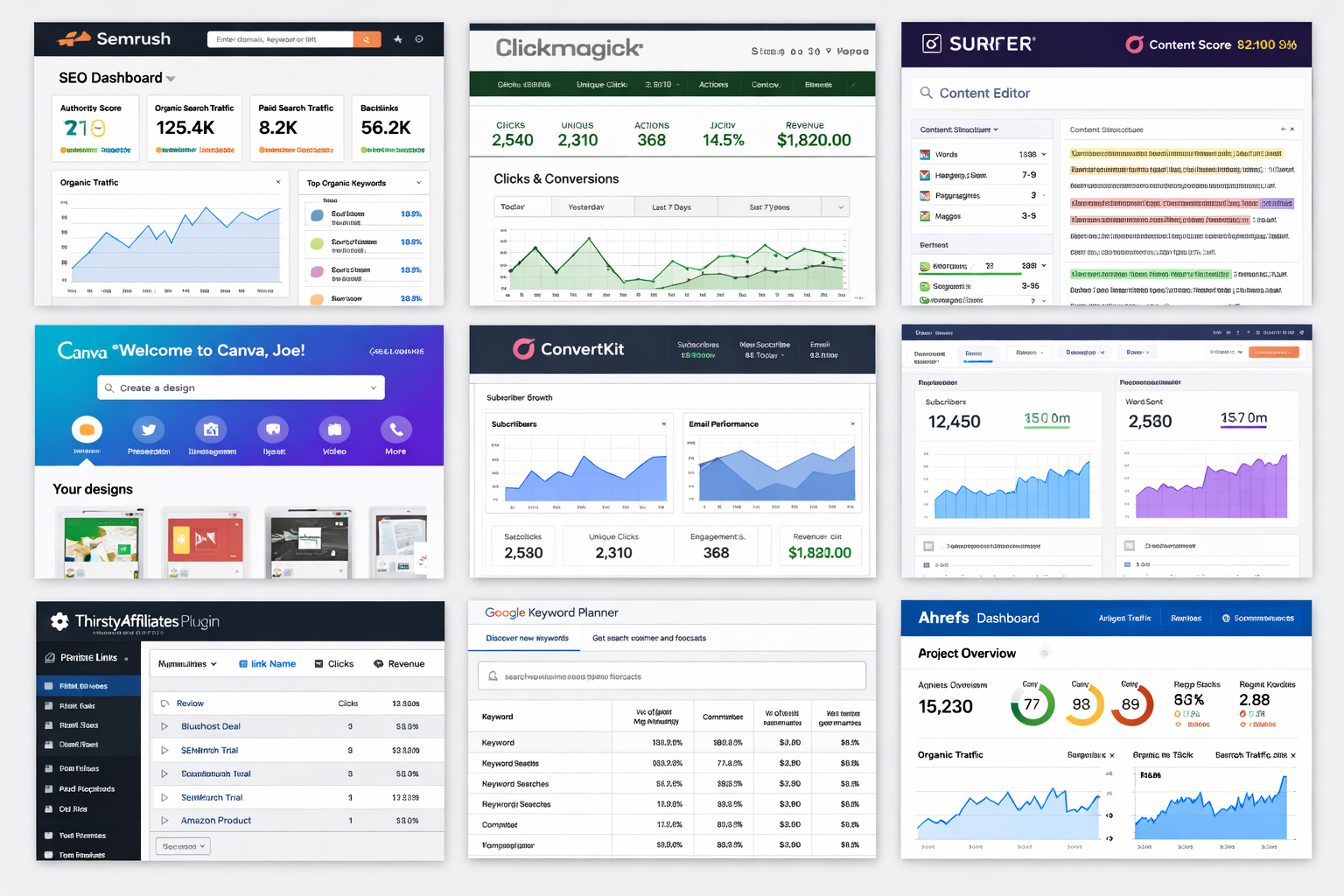
Affiliate marketing in 2026 demands more than good content-successful affiliates pair editorial work with data and systems. With rising competition and smarter search algorithms, affiliate marketers use targeted, data-driven affiliate marketing tools to increase site traffic, improve conversion rates, and grow long-term income without guesswork. This guide is written for affiliate marketers, site owners, and business owners who need practical recommendations: each tool below lists primary features, real use cases and where to try a free trial or check pricing.
Table of Contents
Why Affiliate Marketing Tools Matter in 2026
Modern affiliate marketing combines creative content with measurement and automation. In 2026, search-engine visibility still depends on solid SEO research and content optimization, while high‑intent keyword targeting helps affiliates attract buyers rather than casual readers. Email automation and segmentation turn one-time visitors into repeat customers through welcome and promotional sequences, and clean link management improves click-through rates, compliance, and site performance. Finally, reliable tracking and analytics are essential to measure ROI, detect low-quality traffic, and optimize the process—so affiliates can decide whether an all‑in‑one marketing tool or a specialist platform is the best way forward. Use the links in this guide to jump to each tool’s review and see recommended use cases and trial options for affiliate marketers, site owners, and business owners.
1. Semrush – Best All‑in‑One Affiliate Marketing Tool
Semrush serves as an all‑in‑one marketing platform that combines SEO, keyword research, competitive intelligence, content planning, and paid-ads insights in a single interface. For affiliate publishers and site owners, Semrush simplifies tasks that otherwise require multiple tools: discover commercial keywords, audit pages for technical SEO issues, map competitor content gaps, and monitor backlink profiles and organic traffic trends. Its reporting and site-audit features help affiliates prioritize fixes that improve search performance and conversion potential for product pages.
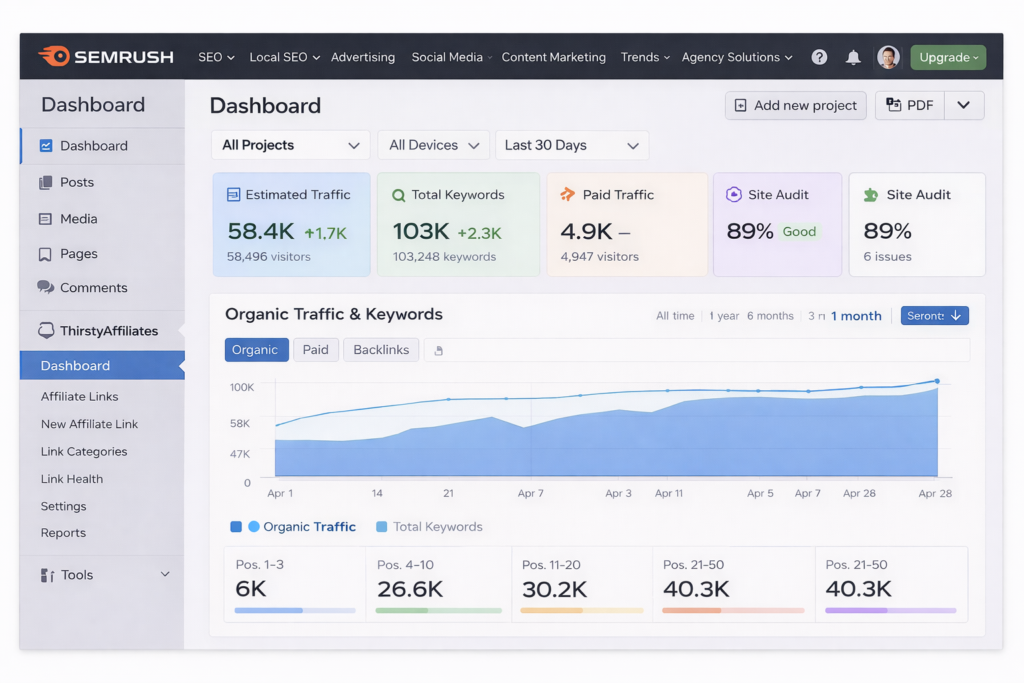
Key features: keyword research and intent filtering, site audit with prioritized fixes, backlink analytics, content gap and topic research, PPC competitive reports, and integrations with Google Analytics and common CMS platforms. These features let affiliates find high-intent keyword opportunities, track ranking progress, and uncover competitors’ monetized pages.
Practical use cases for affiliate sites: (1) Use the Keyword Magic and intent filters to build a product‑focused content plan that targets buyers rather than casual searchers; (2) run a Site Audit to fix crawl issues and speed problems that drag down pages and conversions; (3) run a competitor content-gap analysis to identify pages where a targeted review or comparison can outrank and capture traffic.
Pricing and trial: Semrush offers tiered plans for individuals, teams, and agencies; the company regularly provides trial options and promotional credits—check Semrush’s pricing page for current trial availability and plan limits before signing up. For many affiliate marketers, starting with a short trial or the lowest paid plan is the most practical way to validate keyword and content workflows.
Limitations and when to choose a specialist: while Semrush covers a broad set of needs, dedicated backlink platforms (e.g., Ahrefs) may surface different link data and specialist tracking tools can provide more granular click/conversion analytics. Large enterprise teams may also prefer segmented tools for deeper link research or server-side tracking. Semrush remains the best all‑in‑one option when an affiliate wants SEO, content, and competitive research in one dashboard.
How it fits into a stack: affiliates commonly pair Semrush with a content editor (for on-page optimization), an email platform for automated funnels, and a tracking tool for campaign-level conversion measurement. This combination balances content optimization and audience nurturing with precise tracking of traffic and conversions.
Check current pricing and free trial to confirm features, limits, and available integrations for your site or team.
2. Ahrefs – Best Tool for Backlinks & DA Growth
Ahrefs focuses on backlink intelligence, site auditing, and competitor analysis—capabilities that directly support link-building and organic growth strategies for affiliate sites. Unlike some platforms that emphasize broad marketing features, Ahrefs emphasizes a deep link index, clear site‑health reporting, and keyword data that help affiliates understand which pages drive traffic and revenue. Note: Ahrefs reports Domain Rating (DR) rather than the Domain Authority (DA) metric used by other vendors; the difference is in methodology, so interpret each metric as a relative indicator of backlink strength.
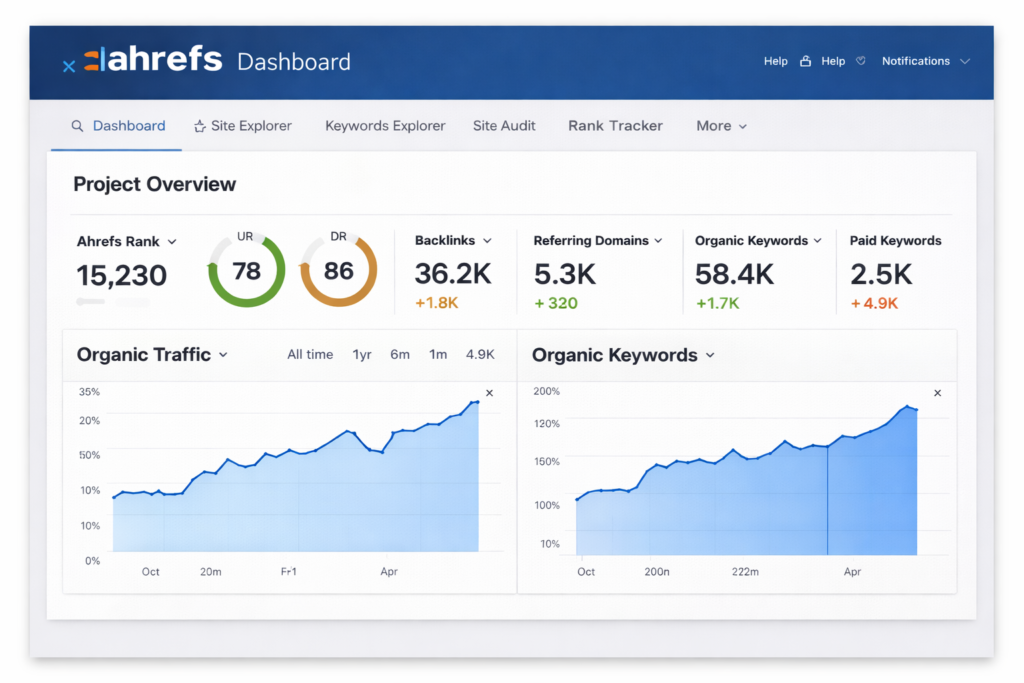
Key capabilities: backlink explorer with historical link graphs, organic keywords and top‑pages reports, site audits that identify on‑page and technical issues, and content-explorer searches for topical opportunities. These tools make it straightforward to find which external links and pages are lifting competitors’ rankings.
Best use cases for affiliates: (1) Identify competitor product-review pages that already rank and analyze their backlink profiles to prioritize link outreach or guest-post targets; (2) use Top Pages to spot high‑traffic posts in a niche and create optimized comparison or review pages to capture buyer intent; (3) run regular site audits to fix issues that block crawlers or slow page speed and reduce organic conversions.
Simple workflow example: search a top competitor domain → open Top Pages to find best-performing product reviews → use Backlink Explorer to export referring domains → prioritize outreach to sites linking to multiple competitors’ pages. This practical process helps affiliates replicate proven link sources and accelerate growth on pages that matter for sales.
Pricing and trial: Ahrefs offers tiered plans for solo marketers and teams; trial or discounted short-term access is sometimes available—check Ahrefs’ official site for current pricing and trial options. Affiliates evaluating link strategy often test a higher-tier plan briefly to access larger export and crawl limits.
Limitations: Ahrefs can be more expensive than entry-level tools and has a learning curve for advanced backlink workflows. It’s primarily a specialist SEO platform; affiliates who need integrated email automation or fine-grained click/conversion tracking will pair Ahrefs with an email service and a dedicated tracking tool.
See current Ahrefs plans and trial to confirm features and limits for your site or team.
3. Google Keyword Planner – Best Free Keyword Tool
Google Keyword Planner is a free keyword research tool inside Google Ads that remains a practical starting point for affiliates who need reliable search-volume signals and CPC-level indicators. While primarily designed for advertisers, it helps identify high‑intent, commercial keywords—those most likely to drive conversions on product pages and landing pages. Because the data is sourced from Google Ads, it can give useful directional insights on search demand and advertiser interest.
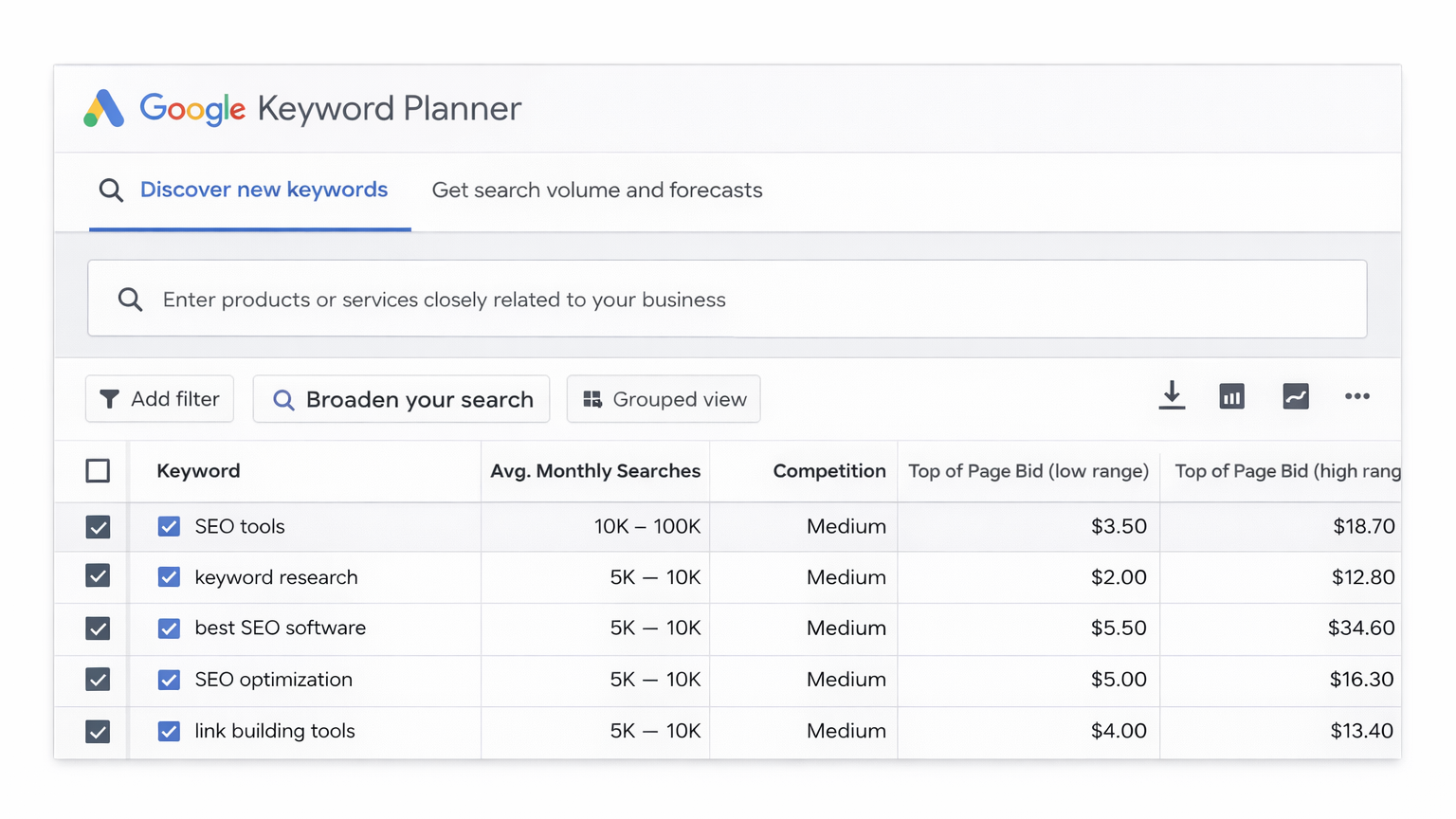
When to use Keyword Planner: use it for an initial keyword shortlist when you’re validating product ideas, estimating search demand, or looking for high‑CPC commercial phrases to prioritize review or comparison pages. It’s especially handy when testing niche viability without paying for a premium marketing tool.
Practical steps for affiliates: (1) Start with a seed keyword or product URL; (2) review suggested keyword ideas and sort by average monthly searches and competition; (3) check suggested bids to identify commercial intent; (4) export shortlist and cross-check with a paid tool (Semrush or Ahrefs) to refine intent and traffic estimates before creating review content or landing pages.
Limitations: the Planner’s volume ranges can be broad for accounts without active ad spend, and it lacks some of the contextual metrics found in paid tools (topic difficulty, content gaps, and detailed SERP feature data). For refined on‑page SEO work or competitor gap analysis, pair Keyword Planner results with a content optimization tool or an all‑in‑one platform.
Tip: combine Keyword Planner’s CPC and search‑volume cues with Surfer or Semrush to prioritize keywords that balance intent, ranking feasibility, and potential affiliate sales.
Try Google Keyword Planner (free with a Google Ads account) and use the shortlist to guide content and landing‑page decisions.
4. ThirstyAffiliates – Best Affiliate Link Management Plugin
ThirstyAffiliates is a WordPress plugin that centralizes affiliate link management, making it easier for publishers to create branded redirects, organize links by category, and insert links into content without manual editing. For affiliate marketers managing dozens or hundreds of product links across multiple pages, a link management plugin reduces maintenance time, improves link consistency, and can boost click-through rates through cleaner, trustable URLs.
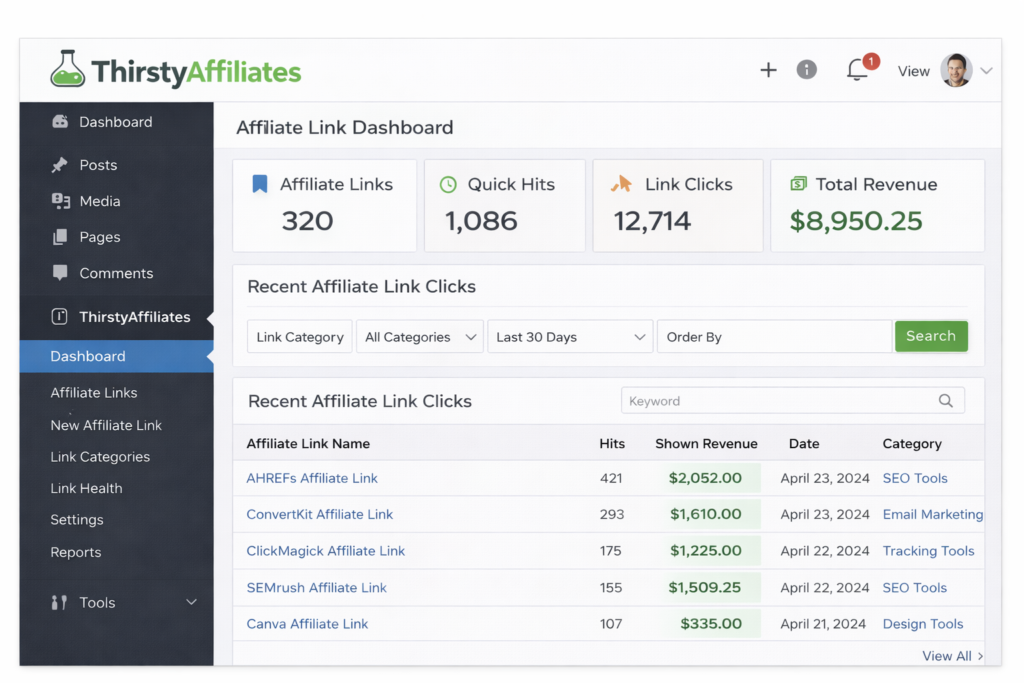
Key features: link cloaking and branded redirects, bulk import/export and category organization, automatic link insertion and shortcode support, and the ability to update target URLs site‑wide from a single dashboard. Many setups also support basic geotargeting and integration with tracking query strings so analytics platforms retain referral data.
Installation and compatibility: ThirstyAffiliates installs like a standard WordPress plugin and works with most themes and page builders. Before deploying, confirm compatibility with your WordPress version and any caching or redirection plugins; test redirects in a staging environment to ensure SEO-friendly behavior (301 vs. JavaScript redirects) and that analytics tags pass correctly.
Real use cases: (1) Create a branded affiliate redirect (example: example.com/recommends/product) and replace ten old merchant links by updating the redirect target once—no need to edit each page; (2) categorize links by merchant or campaign to track which products and pages generate sales; (3) pair with a tracking tool to append UTM parameters automatically for ad campaigns or landing pages.
Technical and compliance notes: use server-side 301 redirects when possible for SEO and link equity; avoid cloaking that hides affiliate relationships from users or search engines in ways that violate platform terms. Maintain visible affiliate disclosures on pages and ensure link labels comply with FTC guidance and GDPR considerations where applicable.
Pros and cons: Pros — centralized management, reduced maintenance, improved user experience, and straightforward site‑wide updates. Cons — plugin dependency for redirects, potential conflicts with other redirection or caching plugins, and some advanced tracking or geotargeting options may require add-ons or third‑party services.
See plugin compatibility and pricing on the official site before installing, and test any bulk updates in staging to protect site performance and SEO.
5. ConvertKit – Best Email Marketing Tool for Affiliates
ConvertKit is an email marketing platform built with creators, bloggers, and small online businesses in mind. For affiliate marketers, ConvertKit’s simplicity and automation features make it straightforward to build lists, create signup forms and landing pages, and run segmented email sequences that guide subscribers from awareness to purchase without technical complexity.
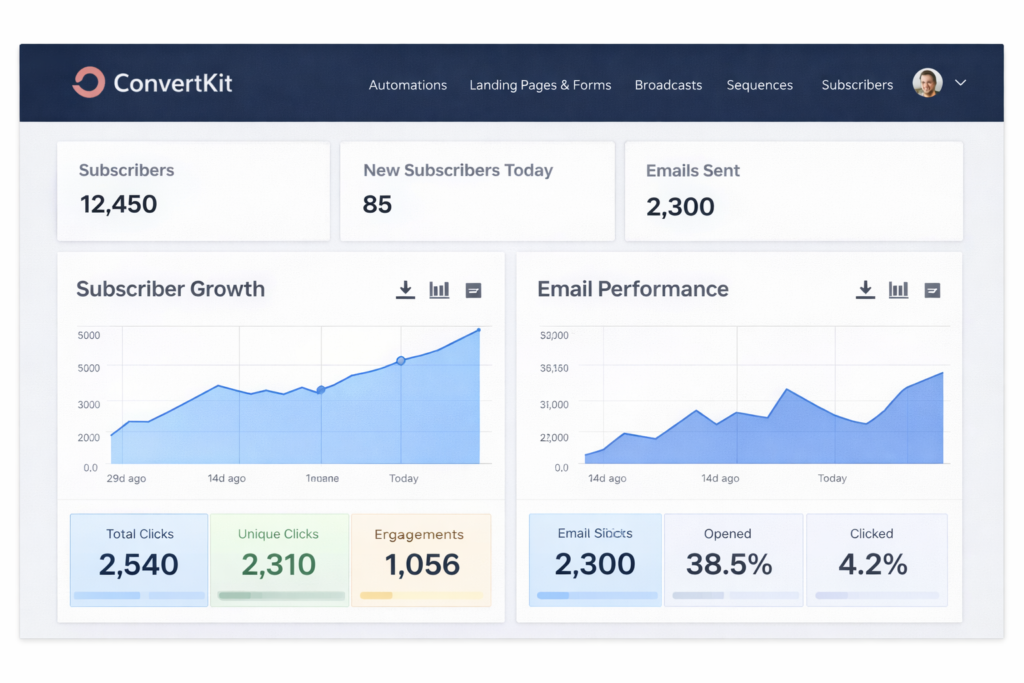
Key features: visual automation builder, tagging and segmentation, customizable sign-up forms and landing pages, and integrations with common platforms. These features let affiliates send targeted promotional sequences, suppress past purchasers, and run evergreen funnels that continually promote affiliate products to segmented audiences.
Typical affiliate workflows: a common three-step funnel is (1) offer a lead magnet on a landing page to collect emails, (2) run a warm-up sequence that provides value and educates about a product category, and (3) send a promotional sequence with reviews, comparisons, and a clear affiliate link—using tagging to track engagement and suppress those who already converted.
Practical tips: use segmentation to separate buyers from prospects, schedule promotions to avoid over-mailing, and include transparent affiliate disclosures in promotional messages. Good deliverability practices—consistent sending cadence, clean lists, and engagement-based segmentation—help preserve inbox placement and conversion potential.
Pricing and trial: ConvertKit offers tiered plans with features that scale by subscriber count and functionality. Affiliates often start on a lower tier to test landing-page and automation workflows, then upgrade as list size and monetization grow—check ConvertKit’s site for current pricing and any available trials.
Integrations and fit: ConvertKit pairs well with content and SEO tools (to capture traffic from review pages) and with tracking platforms (to attribute sales). It’s a solid option when email is a central part of a monetization strategy and when affiliates need reliable automation without a steep learning curve.
See ConvertKit’s current pricing and free trial options to determine whether it fits your affiliate marketing process.
6. Canva – Best Design Tool for Affiliate Content
Canva is a visual design platform that enables creators and affiliate publishers to produce polished graphics, social media posts, video snippets, and marketing assets without advanced design skills. With a template library, drag‑and‑drop editor, and brand-kit features, Canva speeds up asset production for review pages, landing pages, and social campaigns—assets that can help boost engagement and improve perceived site performance.
Key features: ready-made templates for thumbnails, Pinterest pins, and social carousels; easy export options (web, PNG, JPG, video); a brand kit to keep colors and fonts consistent; and collaboration tools for small teams. These features make it simple to create visuals that support content and drive clicks to affiliate links.
Best use cases for affiliates: design product-review featured images and comparison charts, create social media creatives for organic and paid promotion, and build quick landing-page visuals or lead‑magnet covers. For example, a high‑contrast review thumbnail plus a short promo video for social media can increase click-throughs from social media to a review or landing page.
Licensing and commercial use: many Canva elements are free to use commercially, but some premium templates and stock assets require a Pro subscription or individual licensing. Affiliates should verify asset licensing for commercial promotion and avoid republishing unlicensed content in paid ads or products.
Practical checklist for a review page visual: (1) pick a template sized for the target page (featured image or social card), (2) add the product name and a concise value line, (3) include a clear CTA or price badge if relevant, (4) export at the appropriate resolution and format for the website or social media platform.
Integrations and workflow: Canva exports integrate with common platforms and content workflows—downloaded files can be uploaded to a CMS or shared with a designer. For teams, the brand kit and shared folders keep assets consistent across pages and media channels.
See Canva’s pricing and template options to determine whether the free tier meets your needs or whether a Pro plan is worth the additional assets and brand controls.
7. Surfer SEO Editor – Best Content Optimization Tool
Surfer SEO Editor is a content optimization platform that provides data-driven, on-page guidance while writing. By analyzing top-ranking pages for a target keyword, Surfer offers real‑time suggestions for target word count, related terms, heading structure, and content distribution—features that help affiliate publishers increase a page’s relevance for buyer-intent searches without guessing which elements matter most for ranking.
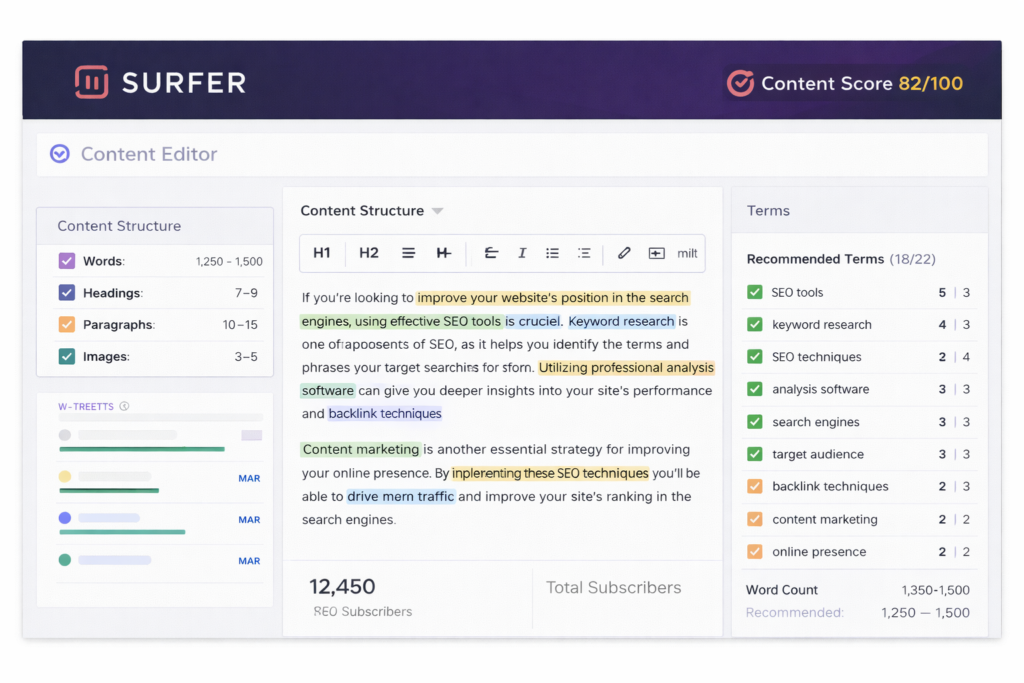
What it does: Surfer pulls SERP-level signals and shows recommendation scores for keywords, headings, and content length. It also surfaces related terms and common on‑page patterns from competitors, helping authors align review pages and comparison posts with signals Google currently rewards.
How affiliates should use it: use Surfer when creating or updating product reviews, comparison pages, and pillar content. Start by entering the target keyword or URL, follow the suggested structure and content-length guidance, and integrate high‑value related terms that improve topical coverage. Combine Surfer’s recommendations with a keyword shortlist from a research tool to balance intent and ranking feasibility.
Step-by-step workflow (example): (1) open Surfer and enter the primary product keyword; (2) review the recommended headings and missing related terms; (3) edit the article to add focused subsections (features, pros/cons, use cases) and the suggested keywords in natural language; (4) run the Content Editor again to confirm score improvements before publishing.
Expected outcomes: Surfer improves on‑page relevance and helps reduce guesswork in content structure; affiliates typically see better alignment with SERP intent, which can lead to higher rankings or improved click-through rates when combined with backlink and technical SEO work. It should be used as part of a holistic process—content optimization plus backlinks, tracking, and conversion testing.
Pricing and trial: Surfer offers tiered plans and occasionally provides trial options—check the official site for current pricing and trial availability. Affiliates often validate Surfer on a single high-value page before adopting it across a content production workflow.
Integrations and fit: Surfer integrates with common CMS and editor tools and is frequently paired with keyword research platforms and editorial workflows. For affiliate teams focused on scaling content, it is a practical content optimization tool that complements SEO and analytics platforms.
Try Surfer’s content editor (see free trial/plan) and test it on a key review or comparison page to evaluate impact.
8. ClickMagick – Best Affiliate Tracking Tool
ClickMagick is a specialist tracking platform built to give affiliate marketers precise click and conversion data that traditional analytics often miss. It centralizes link-level analytics, split-testing, and fraud detection so affiliates can see which links, traffic sources, and campaigns actually generate sales and which drains budget or attract low-quality traffic.
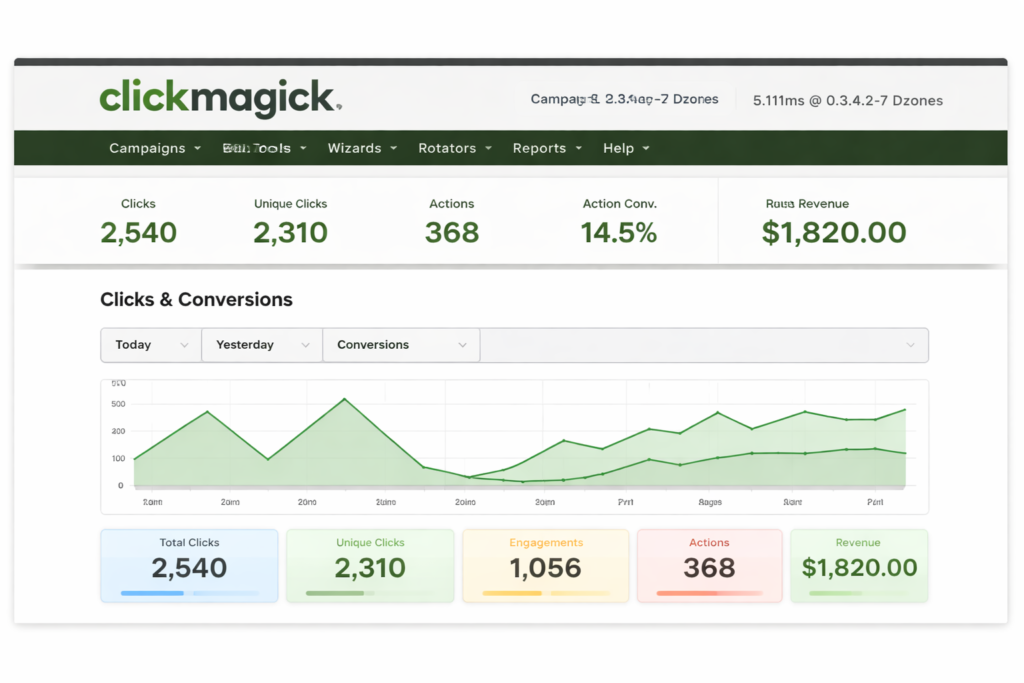
Key tracking features: accurate click tracking with detailed source attribution, conversion tracking and goal setup, split-test redirects (A/B testing), bot and fraud detection, and link rotation. These features allow affiliates to compare creative and landing-page variants, attribute conversions to the correct traffic source, and exclude suspicious clicks from performance calculations.
How affiliates use ClickMagick: set up a tracking link for each promotional channel (organic, social, paid ads), append UTM parameters to preserve campaign metadata, and route traffic through ClickMagick to capture click data and run split tests. For paid funnels, run a test that sends 50% of traffic to the original landing page and 50% to a variation; measure conversion, revenue per click, and cost-per-acquisition to determine the winning creative.
Practical example: an affiliate promoting a software product can create three tracked links—one for Facebook ads, one for email, and one for organic review traffic—and run a split test on the Facebook traffic to compare two ad creatives. ClickMagick reports which creative and which traffic source yields the highest conversion rate and sales, enabling quick budget reallocation toward the top performer.
Integrations and workflow: ClickMagick works alongside CMS platforms and analytics tools by forwarding UTM data and conversion signals. Affiliates often combine it with an email platform for attribution, a link management plugin for organized redirects, and an SEO or keyword tool for traffic sourcing strategies.
Privacy, accuracy, and compliance: choose server‑side tracking when possible to improve accuracy and reduce ad‑blocking losses; understand regional privacy rules (GDPR/CCPA) when storing or processing user data; and clearly disclose tracking and affiliate relationships to users where required.
Pricing and trial: ClickMagick offers tiered plans with different click limits and features—check the official site for current pricing and any trial options. Affiliates evaluating tracking setups often start with a short plan to validate split-testing and attribution workflows before committing to higher tiers.
Limitations: advanced features and high-volume tracking can increase cost; some teams prefer server-side analytics or dedicated attribution platforms for enterprise-scale needs. ClickMagick is most valuable when affiliates need link-level conversion clarity and fast split-testing to optimize campaigns and improve ROI.
Check ClickMagick features and trial availability to confirm it fits your tracking and conversion‑optimization needs.
Final Verdict
Choosing the right mix of tools is a practical way for affiliates to scale in 2026. For most publishers, an audit-first approach works best: evaluate site performance, pick one all‑in‑one platform or a specialist for the highest-priority gap, then validate with a short paid plan or free trial. Semrush suits affiliates who want an all‑in‑one SEO and competitive research suite; Ahrefs excels at backlink and link-growth strategies; ClickMagick provides link-level tracking and split‑testing; and ConvertKit covers email funnels and customer nurture.
Pros and cons depend on goals: all‑in‑one marketing tools reduce context switching but can be costlier; specialist tools deliver deeper data (links, content optimization, or tracking) but need integration. A practical three-step process is: (1) audit pages and identify the biggest bottleneck (traffic, conversion, or tracking), (2) choose one or two tools that directly address that bottleneck, and (3) test features and pricing on a representative campaign or page before full rollout.
Track a few simple KPIs—traffic, click‑through rate on affiliate links, and revenue per visitor—to measure impact. Ensure disclosure and privacy compliance when using link cloaking and tracking. Finally, consult current pricing and support options for each tool and prioritize the workflow that best fits the team and the site’s growth objectives.